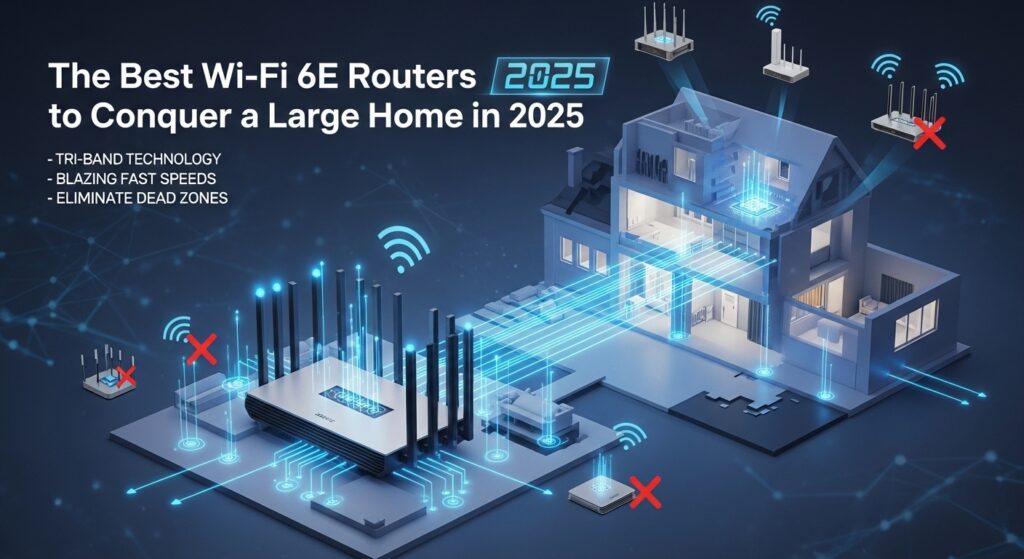

Are you tired of Wi-Fi dead zones plaguing your large home? Does your video call freeze the moment you step into the kitchen, or does your favorite 4K movie buffer endlessly in the bedroom? For those with expansive living spaces, achieving seamless, high-speed internet in every corner has long been a frustrating challenge. However, a powerful new technology is here to change that: Wi-Fi 6E routers. This guide will walk you through how these routers work and showcase the top-tested models for 2025 that can finally bring whole-home connectivity to your large property.
Why a Wi-Fi 6E Router is a Game-Changer for Large Homes
Wi-Fi 6E isn’t just an incremental upgrade; it’s a fundamental shift. Think of your Wi-Fi bands as highways. For years, routers have used two highways: the older, crowded 2.4 GHz band and the faster 5 GHz band. Wi-Fi 6E opens up a third, brand-new highway: the 6 GHz band.
This new 6 GHz band is a game-changer for one simple reason: it’s pristine and uncongested. It’s like having a private, high-speed express lane just for your newest devices, free from the traffic of your neighbor’s networks and other interfering signals. This translates to:
- Blazing-Fast Speeds: Experience multi-gigabit wireless speeds ideal for 4K/8K streaming, massive file downloads, and VR gaming.
- Reduced Lag and Latency: The clean 6 GHz band means data doesn’t get stuck in traffic, resulting in a super-responsive connection that’s perfect for competitive gaming and video conferencing.
- Massive Device Capacity: With more available channels, a Wi-Fi 6E router can comfortably handle the dozens of smartphones, laptops, TVs, and IoT devices that fill a modern large home.
It’s important to note a key technical point: while the 6 GHz band offers incredible speed, its signals can be slightly less effective at penetrating solid walls over long distances compared to lower frequencies. For a large home, this means that to truly “conquer” your space, you should prioritize a tri-band Wi-Fi 6E system—often a mesh system—that can blanket your entire floor plan with a unified, powerful network.
Top-Tested Wi-Fi 6E Routers for Large Homes in 2025
After scouring expert reviews and benchmark tests, we’ve curated a list of routers that deliver both performance and range. The following table compares the top contenders designed to handle extensive coverage.
| Model | Best For | Key Features | Max Throughput | Expert-Verified Performance Notes |
|---|---|---|---|---|
| ASUS ROG Rapture GT-AXE16000 | Ultimate Performance & Gamers | Quad-band (2x 5GHz, 6GHz), Two 10 Gbps ports, AiMesh support | 16,000 Mbps | “The ultimate Wi-Fi 6E router,” stellar performance, unmatched port flexibility. |
| TP-Link Archer AXE300 | Feature-Rich Standalone Router | Tri-band, 2.5 Gbps Multi-Gig port, robust web interface | Not Specified | Top-tier hardware with excellent performance; a powerful single broadcaster. |
| NETGEAR Nighthawk RAXE500 | Long Range | Tri-band, 2.5 Gbps port, sleek design | 11,000 Mbps | Best for range based on independent 5 GHz band testing, ideal for covering wide areas. |
| Linksys Hydra Pro 6E | Overall Value & Multi-Gig Speed | Tri-band, 5 Gbps WAN port, simple setup | 6,600 Mbps | Our “best overall” pick; great multi-gig speeds for the money, excellent for handling many devices. |
| MSI RadiX AXE6600 | Gaming & Aesthetics | Tri-band, 2.5 Gbps port, customizable RGB lighting | 6,600 Mbps | “Best for Windows gamers,” some of the fastest close-range tested speeds, great value. |
| TP-Link Deco XE75 Pro | Whole-Home Mesh System | Tri-band, built-in mesh (2-pack typical), easy app control | 5,400 Mbps (per unit) | “Best for mesh”; a simple and effective solution to eliminate dead zones across a large property. |
Key Considerations Before You Buy
Choosing the right router involves more than just picking the top model from a list. For a large home, a strategic approach is necessary. Here are the key factors to consider before investing.
1. Router vs. Mesh System: Which is Right for Your Layout?
- Standalone Router: A single, powerful unit like the ASUS GT-AXE16000 or NETGEAR RAXE500 is often sufficient for large, open-concept homes that may have fewer interior walls made of standard drywall.
- Mesh Wi-Fi System: If your home has multiple floors, long hallways, or walls made of brick, concrete, or lath and plaster, a mesh system like the TP-Link Deco XE75 Pro is the superior choice. Mesh systems use multiple units (nodes) placed around your home to create a single, seamless network, ensuring a strong signal in every room.
2. Wired Backhaul: The Secret to a Flawless Mesh
If you opt for a mesh system, prioritize one that supports “wired backhaul” or “Ethernet backhaul.” This means you can connect the mesh nodes using Ethernet cables, rather than relying on a wireless connection. This wired backbone frees up the wireless bands for your devices, dramatically boosting overall speed and stability.
3. Ports and Future-Proofing
Look beyond the wireless specs. If you have or plan to get a multi-gigabit internet plan (faster than 1 Gbps), ensure your router has a Multi-Gig WAN port (2.5 Gbps, 5 Gbps, or 10 Gbps). The Linksys Hydra Pro’s 5 Gbps port, for example, is what allows it to deliver such high real-world speeds. Similarly, high-speed LAN ports are great for wiring nearby gaming PCs or NAS devices.
Unlocking Your Router’s Full Potential: Setup Tips for a Large Home
Getting the most out of your new router requires more than just plugging it in. Proper placement and configuration are key.
- Centralize Your Hub: Place your main router (or primary mesh node) as close to the center of your home as possible. Avoid hiding it in a closed cabinet, a basement corner, or behind a TV, as this severely limits its reach.
- Leverage Your Wiring: If your large home is already equipped with Ethernet jacks, use them! You can connect mesh nodes via these ports for a wired backhaul, creating the most powerful and reliable network possible.
- Optimize Band Steering: In your router’s admin interface (usually accessible via a web browser), enable features like “Band Steering” or “Smart Connect.” This encourages your compatible devices to automatically connect to the fastest available band (5 GHz or 6 GHz), ensuring an optimal experience.
The Future is Here: Is It Time to Upgrade to Wi-Fi 7?
You may have heard of Wi-Fi 7, the next generation of wireless technology that promises even greater speeds and efficiency. While Wi-Fi 7 routers are now on the market and becoming more affordable, Wi-Fi 6E remains an incredibly smart and relevant choice.
Wi-Fi 6E technology is mature, widely supported by new devices, and significantly more affordable than it was just a few years ago. It solves the primary pain point for large homes—congestion—by providing that clean 6 GHz highway. For most people, investing in a high-quality Wi-Fi 6E system today will provide exceptional performance for years to come.
Conclusion: Your Large Home, Perfectly Connected
Conquering Wi-Fi in a large home is no longer a pipe dream. By harnessing the power of the 6 GHz band, Wi-Fi 6E routers provide the speed, capacity, and low latency needed to keep every corner of your property online. Whether you choose the raw power of a standalone router like the ASUS GT-AXE16000 or the comprehensive coverage of a TP-Link Deco XE75 Pro mesh system, you are investing in a seamless digital lifestyle.
Say goodbye to dead zones and buffering, and say hello to flawless streaming, lag-free gaming, and reliable video calls from anywhere on your property.
Have you recently upgraded to a Wi-Fi 6E router? Share your experience and how it transformed connectivity in your home in the comments below!